If you have been developing Rails applications for years, there’s a good chance you’ve used:
bin/rails credentials:edit
hundreds of times.
You probably know that Rails stores encrypted credentials in:
config/credentials.yml.enc
and keeps the encryption key separately in:
config/master.key
But did you know that Rails can make:
git diff
show the decrypted, human-readable changes to credentials.yml.enc?
I recently discovered this while working on a Rails 8.1.3.1 application and it was one of those:
“I’ve been using Rails every day for years, and I didn’t know Rails could do this!”
moments.
Let’s see how it works.
First: What is credentials.yml.enc?
Rails encrypted credentials allow us to keep secrets such as:
openai:
  api_key: ...
or:
aws:
  access_key_id: ...
  secret_access_key: ...
inside:
config/credentials.yml.enc
The file is encrypted.
The encryption key is stored separately in:
config/master.key
Rails documentation explicitly states that the encrypted credentials file can be stored in version control as long as the master key remains secure. (Ruby on Rails Guides)
So our repository can contain:
config/
├── credentials.yml.enc ← encrypted, safe to commit
└── master.key ← secret, NEVER commit
Editing Rails Credentials
Normally we edit credentials with:
bin/rails credentials:edit
Rails decrypts the credentials, opens them in your configured editor, and encrypts them again when you save.
Rails then ensures the Git diff driver is configured to use:
bin/rails credentials:diff
Rails’ application generator includes this credentials diff enrollment as part of application setup and Rails 7.0 already contained the credentials diffing implementation. (Gem)
So this isn’t actually an 8.1-only feature.
That’s an important distinction.
Is This New in Rails 8.1?
No – and this is an important correction.
The encrypted credentials diff functionality existed before Rails 8.1.
For example, Rails 7.0 already had the credentials:diff implementation, and Rails 7.2’s application generator also enrolled projects in credentials diffing. (Gem)
Rails has supported decrypted Git diffs for encrypted credentials for several versions and Rails 8.x continues to build on the credentials tooling.
Rails 8.1 does introduce other useful credentials functionality. For example, Rails 8.1 added command-line credential fetching, which can be useful for deployment tooling such as Kamal. (Ruby on Rails Guides)
The master key should not be committed. Rails’ security guide explicitly recommends keeping the master key safe and out of version control. (Ruby on Rails Guides)
One Thing to Remember
The decrypted content can appear in your local terminal output.
The difference is a great way to understand what’s really happening.
Quick Reference
# Edit credentials
bin/rails credentials:edit

# Enroll project in credential diffing
bin/rails credentials:diff --enroll

# Normal readable diff
git diff

# Show the actual encrypted file diff
git diff --no-textconv -- config/credentials.yml.enc

# Inspect Git's configuration
git config --show-origin --get-regexp 'diff|textconv|filter'

# Check Git attributes
git check-attr diff -- config/credentials.yml.enc
Security rule:
 Y config/credentials.yml.enc → commit it
 X config/master.key          → NEVER commit it
Rails’ official security guide confirms that encrypted credentials can be stored in version control while the master key must remain protected. (Ruby on Rails Guides)
Ruby 4.0 introduced two fascinating runtime capabilities:
Ractors, significantly improved for parallel execution
Ruby Box, an experimental mechanism for isolating definitions inside one Ruby process
For a Rails developer, the obvious question is:
Can I take my existing Rails application and simply add Ractors and Ruby Box to make it faster or more scalable?
The answer is not yet that simple.
Ractors can be extremely useful for carefully isolated CPU-heavy work, but a conventional Rails application is deeply interconnected through global state, constants, classes, ActiveSupport, ActiveRecord, gems, configuration and caches.
Ruby Box is a completely different concept. It is not primarily a parallelism mechanism. It provides in-process isolation of definitions and loaded code, with potential applications such as running multiple application versions in one Ruby process. Ruby 4.0 documents it as experimental.
Let’s look at both from a Rails perspective.
1. First: what problem does a Ractor solve?
A normal Ruby thread looks roughly like this:
Rails process
│
├── Thread 1
├── Thread 2
├── Thread 3
└── Thread 4
│
└── same Ractor / same GVL
Threads within a Ractor still share that Ractor’s GVL, so they don’t execute Ruby code in parallel with one another.
Ractors change the model:
Rails process
│
├── Ractor A ── GVL ── Thread(s)
│
├── Ractor B ── GVL ── Thread(s)
│
└── Ractor C ── GVL ── Thread(s)
Different Ractors can execute Ruby code in parallel on different CPU cores. Ruby 4.0 also reduced internal contention and introduced Ractor::Port for communication.
That makes Ractors especially interesting for CPU-bound work.
2. What should NOT be your first Ractor experiment?
Suppose you have:
class ReportsController < ApplicationController
  def show
    @report = Report.generate
  end
end
It is tempting to write:
def show
  r = Ractor.new do
    Report.generate
  end

  @report = r.value
end
This is exactly the kind of approach that exposes the biggest problem.
A Rails application has a huge amount of shared framework state.
For example:
Rails
│
├── ActiveSupport
├── ActiveRecord
├── Zeitwerk
├── configuration
├── caches
├── logging
├── autoloading
├── class/module definitions
└── gems
Ractors deliberately restrict access to non-shareable objects across Ractors.
The Ruby documentation says that most objects are unshareable and communication between Ractors is intended to happen through shareable objects or message passing.
That makes a normal Rails application a poor candidate for simply wrapping arbitrary Rails calls inside Ractor.new.
There has also been a real Rails issue demonstrating Ractor::IsolationError when attempting to instantiate or use Rails application state from a non-main Ractor.
3. The better idea: use Ractors around isolated computation
Instead of:
Ractor
↓
Entire Rails application
think:
Rails
│
├── request
│
├── database work
│
└── isolated CPU calculation
↓
Ractor
For example, imagine a report containing millions of values.
class ReportCalculator
  def self.calculate(numbers)
    numbers.sum { |n| expensive_calculation(n) }
  end

  def self.expensive_calculation(n)
    # CPU-heavy calculation
    n ** 3
  end
end
You could partition the data:
chunks = numbers.each_slice(10_000).to_a

ractors = chunks.map do |chunk|
  Ractor.new(chunk) do |values|
    values.sum { |n| n ** 3 }
  end
end

result = ractors.sum(&:value)
The important architectural boundary is:
Rails
│
│ plain data
▼
Ractor 1 ── CPU work ──┐
Ractor 2 ── CPU work ──┼──→ results
Ractor 3 ── CPU work ──┘
│
▼
Rails
This is much more promising.
The Ractors don’t need to manipulate:
ActiveRecord::Relation
Rails.application
ActiveSupport::Cache
Controller
request
response
They receive isolated data and return isolated results.
4. A practical Rails use case: analytics
Imagine:
orders=Order
.where(created_at:30.days.ago..)
.pluck(:amount)
The database query happens normally.
Then:
chunks = orders.each_slice(50_000).to_a

ractors = chunks.map do |chunk|
  Ractor.new(chunk) do
    {
      total: chunk.sum,
      average: chunk.sum.to_f / chunk.length
    }
  end
end

results = ractors.map(&:value)

total = results.sum { |r| r[:total] }
The database remains Rails’ responsibility.
The CPU-heavy aggregation becomes parallel work.
That is the mental model I’d recommend:
Use Rails for orchestration; use Ractors for isolated computation.
5. Another good candidate: document/image processing
Suppose your application performs CPU-heavy transformations:
PDF
↓
parse
↓
transform
↓
calculate
↓
generate result
Instead of letting one Ruby execution stream process everything:
Rails
│
└── CPU-heavy processing
you can potentially build:
                    Rails
                      │
               Job / Service
                      │
          ┌───────────┼───────────┐
          ▼           ▼           ▼
       Ractor      Ractor      Ractor
         │           │           │
       file A      file B      file C
          └──────────┬──────────┘
                     ▼
                   result
The same principle applies to:
compression
large JSON transformations
encryption-related computation
parsing
ranking/scoring
simulations
large in-memory calculations
The exact benefit depends heavily on whether the work is CPU-bound and whether the cost of copying/moving data outweighs the parallelism benefit.
Ruby’s Ractor documentation explicitly notes that unshareable objects may be copied or moved between Ractors, so data-transfer overhead must be considered.
6. Ractor is not a replacement for ActiveJob
It is important not to confuse these abstractions.
For example:
SomeJob.perform_later(order.id)
and:
Ractor.new(...)
solve different problems.
ActiveJob/Sidekiq/GoodJob/etc. solve background job execution and process-level application architecture.
Ractors solve parallel execution inside one Ruby process.
You could potentially combine them:
Rails
│
▼
Background Job
│
▼
Ruby Process
│
├── Ractor 1
├── Ractor 2
├── Ractor 3
└── Ractor 4
But this is an advanced optimization, not the default architecture.
7. So where does Ruby Box fit?
Ruby Box is much less about CPU parallelism.
Its purpose is definition isolation.
Suppose you have:
classUser
defrole
"admin"
end
end
Now imagine loading another piece of code that reopens User:
classUser
defrole
"guest"
end
end
Normally, that’s a global change to the Ruby process.
Ruby Box lets those definitions exist in separate boxes.
Conceptually:
Ruby process
│
├── Main box
│ └── User#role → "admin"
│
└── Box B
└── User#role → "guest"
Ruby’s documentation describes this as isolation of class/module definitions, monkey patches, constants, global/class variables and loaded Ruby/native libraries.
This is a very different problem from Ractors.
8. A simple Ruby Box example
Ruby Box must be enabled at process startup:
RUBY_BOX=1 ruby app.rb
Setting the variable after Ruby has already started does not enable it.
Then:
box=Ruby::Box.new
box.require("./legacy_user.rb")
Suppose legacy_user.rb contains:
classUser
defrole
"legacy"
end
end
The definition is loaded into the box.
Conceptually:
Main box
│
└── User
Legacy box
│
└── User
└── role → "legacy"
The definition in the box is isolated from the corresponding definition in other boxes. Ruby’s documentation demonstrates this with constants, classes and methods.
9. This has a fascinating Rails use case: blue-green application versions
This is one of the use cases Ruby itself proposes.
Imagine:
One Ruby process
┌─────────────────────────────┐
│ Ruby Process │
│ │
│ Box A │
│ Rails App v1 │
│ │
│ Box B │
│ Rails App v2 │
└─────────────────────────────┘
Ruby 4.0 explicitly lists running web-app boxes in parallel as a potential blue-green deployment use case.
Theoretically, this gives you the ability to have:
/app-v1
/app-v2
loaded in separate definition environments inside the same Ruby process.
Then requests could be directed to:
traffic
│
├──→ Box A
│
└──→ Box B
This could eventually enable interesting deployment and migration strategies.
But there is a huge caveat.
10. Ruby Box is experimental
This is not currently something I’d take into a normal Rails production deployment simply because Ruby 4 has it.
The official documentation lists known issues, including:
Keep Rails state out of the Ractors wherever possible.
Design explicit boundaries:
input= {
values:values,
options:options
}
rather than:
ractor=Ractor.newdo
Order.where(...)
end
The first is an isolated computation.
The second makes the Ractor responsible for Rails state.
That’s where the complexity explodes.
13. How I would introduce Ractors into an existing Rails app
Start with one measurable CPU bottleneck.
For example:
Before
request
↓
large calculation
↓
1 CPU core
↓
response
Then extract:
classPricingCalculator
defself.calculate(input)
# pure Ruby calculation
end
end
Make it as pure as possible:
result=PricingCalculator.calculate(
prices:prices,
rules:rules
)
Then experiment with:
Ractor.new(input) do |data|
PricingCalculator.calculate(data)
end
Benchmark both:
single-threaded
vs
multiple Ractors
Don’t assume parallelism automatically means faster execution.
You need to measure:
CPU time
wall-clock time
memory usage
object copying
Ractor startup
throughput
latency
14. Rails architecture: where each feature fits
A useful mental model is:
                    Rails
                      │
     ┌────────────────┼─────────────────┐
     │                │                 │
     ▼                ▼                 ▼
   Web              Data             Jobs
     │                │                 │
     └────────────────┴────────┐        │
                               ▼        ▼
                       Application services
                               │
                       CPU-heavy workload
                               │
                         ┌─────┴─────┐
                         ▼           ▼
                      Ractor      Ractor
Ruby Box sits at a different architectural layer:
Ruby Process
│
├── Main / Application Box
│
├── Application Box A
│
└── Application Box B
So:
Ractor = parallel execution
while:
Ruby Box = definition/environment isolation
They solve different problems.
15. The big Rails limitation today
This is the part worth remembering.
A conventional Rails application is built around a substantial amount of shared application state.
That doesn’t fit naturally with Ractor’s isolation model.
There has been an explicit Rails issue requesting Ractor support and that issue was closed as “not planned.” The discussion showed Ractor::IsolationError arising from Rails class-level state.
That architecture gives you a much better chance of benefiting from parallel Ruby.
For Ruby Box:
Development/testing first
↓
isolated definitions
↓
experimentation
↓
specialized deployment scenarios
rather than immediately attempting:
"Let's run the whole Rails app in 10 Ruby Boxes."
Final takeaway
Ruby 4 did something more interesting than simply making threads faster.
It is giving Ruby developers more explicit runtime tools:
Ractor
↓
parallel Ruby computation
Ruby Box
↓
isolated Ruby definitions
YJIT / ZJIT
↓
faster execution
GC/runtime improvements
↓
less overhead
For Rails, however, the winning strategy isn’t:
“Convert Rails to Ractors.”
It is:
“Keep Rails responsible for application orchestration and isolate carefully chosen CPU-heavy computations behind Ractor boundaries.”
And Ruby Box is even more experimental.
Its long-term Rails potential may actually be more architectural than performance-oriented: isolating application versions, tests, plugins, or dependency environments inside one Ruby process.
The exciting thing is that Ruby 4 gives us primitives that make these designs possible.
The engineering challenge is deciding where the boundary belongs.
That is ultimately the same lesson we’ve been following through this series:
Ruby gives us abstractions. Understanding the runtime lets us decide when to cross them.
A useful next post in this series would be “Ractor vs Thread vs Process in Rails: when should a senior Rails developer choose each?” – with real benchmarks, memory/CPU trade-offs and a Sidekiq/Puma/Ractor architecture comparison.
In CRuby, ordinary Ruby threads are native threads, but Ruby execution within a single Ractor is constrained by its GVL.
JRuby takes a different approach.
Multiple Ruby threads can execute Ruby code concurrently because there is no equivalent global interpreter lock preventing Ruby threads from running in parallel.
The interesting part is that Truffle/Graal can observe running code and aggressively specialize and optimize it.
TruffleRuby’s project explicitly targets high performance for Ruby workloads, parallel execution without a global interpreter lock, native extensions and interoperability with Java and other languages in the GraalVM ecosystem. (GitHub)
TruffleRuby and JRuby solve a similar problem differently
This distinction is important.
CRuby
JRuby
TruffleRuby
Main technology
C + Ruby VM
JVM
Truffle + GraalVM
GVL for normal Ruby threads
Yes
No
No
Parallel Ruby threads
Limited by GVL
Yes
Yes
JVM ecosystem
No
Excellent
Excellent
JIT
YJIT/ZJIT
JVM JIT
Graal
Native extensions
Excellent
Different approach
Many C extensions supported
Startup
Excellent
Generally slower
Depends on configuration
Warm-up
Low
Higher
Higher
Peak performance
Very good
Very good
Excellent for suitable workloads
The important lesson is:
There isn’t one universally “best Ruby”.
The optimal runtime depends on the workload.
Now the big question: Does Ruby 4 remove the GIL?
No.
And there is an important terminology correction.
CRuby generally calls it the GVL – Global VM Lock.
Ruby 4.0 did not remove it from normal Ruby threads.
Ruby’s documentation states that threads within the same Ractor share a ractor-wide GVL and therefore cannot execute Ruby code in parallel with each other. Threads belonging to different Ractors can execute in parallel.
Ractors are designed to provide parallel execution of Ruby code without thread-safety concerns. (Ruby Documentation)
So:
                    CRuby 4.0
                       │
          ┌────────────┴────────────┐
          ▼                         ▼
      Ractor A                  Ractor B
          │                         │
     Thread 1                   Thread 1
     Thread 2                   Thread 2
          │                         │
        one GVL                  one GVL
          │                         │
          └──────────┬──────────────┘
                     │
               parallel execution
This is a major distinction.
Ruby 4 did not say:
“GVL is gone.”
It moved Ruby’s concurrency model further toward Ractor-based parallelism.
Ruby 4.0 significantly improved Ractors
Ruby 4.0 invested heavily in reducing the contention that previously limited Ractor scalability.
The release notes specifically mention improvements such as:
lock-free structures for frozen strings and the symbol table
fewer locks in method-cache lookups
faster instance-variable access
reduced allocation contention
reduced CPU cache contention
fewer locks around object_id
fixes for deadlocks and GC races involving Ractors (Ruby)
This is a much deeper improvement than simply deleting one lock.
The architecture is moving toward:
Before

Ractor ──┐
Ractor ──┼── shared internal state ── contention
Ractor ──┘


Ruby 4 direction

Ractor A ── mostly independent state
Ractor B ── mostly independent state
Ractor C ── mostly independent state

             ↓

       less lock contention
       less cache contention
       better parallelism
Ruby 4 also introduced Ractor::Port as a new synchronization mechanism and added shareable Proc/lambda APIs.
Ruby 4’s bigger performance story: YJIT and ZJIT
Ruby 4.0 introduced ZJIT, the next-generation JIT compiler after YJIT.
The interesting part is that Ruby now has two very different JIT stories:
ZJIT is faster than the interpreter, but not yet as fast as YJIT.
Ruby 4.0 therefore recommends experimentation rather than production deployment for ZJIT.
ZJIT is intended to raise Ruby’s performance ceiling through larger compilation units and SSA-based intermediate representation, while also making the compiler architecture more approachable for outside contributors.
So Ruby 4 did not replace YJIT with a magically faster JIT overnight.
It started building the next generation.
Ruby 4 also improved the GC and object system
Some of the most interesting Ruby 4 changes aren’t visible from Ruby syntax at all.
Ruby 4.0 includes improvements such as:
• Independent growth of GC heaps for different size pools
• Faster sweeping of pages containing large objects
• Faster Class#new
• Improved instance-variable storage
• Less GC overhead from write barriers
• Better handling of embedded large Bignums
• Faster object_id/hash operations
These changes target allocation, memory consumption, GC work, object access and general runtime overhead. (Ruby)
For a Rails application, these details matter because a significant amount of application work eventually becomes:
allocate
↓
object lives
↓
object becomes unreachable
↓
GC
↓
CPU + memory bandwidth
Improving that pipeline can produce real application-level benefits without changing your Rails code.
Ruby 4’s interesting new feature: Ruby Box
Ruby 4.0 also introduced an experimental feature called Ruby Box.
It allows definitions and changes to be isolated from other boxes.
That includes things like:
monkey patches
class/module definitions
class/global variables
loaded libraries
One proposed use case is running multiple isolated application versions in the same Ruby process – for example, blue/green deployment scenarios.
Conceptually:
Ruby Process
│
├── Box A → Application version A
│
├── Box B → Application version B
│
└── Box C → Experiment
This is quite different from the normal Ruby process model and could become more interesting over time.
So did Ruby 4 “fix Ruby performance”?
No single release can be described that way.
Ruby’s performance problem has never been just one problem.
There are several:
Ruby performance
│
├── Interpreter overhead
├── Method dispatch
├── Object allocation
├── Garbage collection
├── Memory/cache behaviour
├── JIT compilation
├── Lock contention
└── Parallel execution
Ruby 4 improves several of these.
But each improvement has trade-offs.
Ruby 4: the best features
For an experienced Ruby/Rails developer, I would highlight these:
1. Better parallelism
Ractors are substantially more mature and have significantly less internal contention. (Ruby)
2. Better JIT direction
YJIT remains the mature choice, while ZJIT establishes a new JIT architecture with a higher long-term performance goal.
3. Runtime and GC improvements
Allocation, sweeping, object access and GC overhead have all received attention.
4. Ruby Box
A fascinating new isolation primitive that may eventually influence how long-running Ruby processes host multiple isolated applications.
5. Ecosystem maturity
Ruby 4 continues to preserve the programming model that makes Rails productive while the runtime underneath becomes increasingly sophisticated.
But Ruby 4 still has limitations
The biggest one is straightforward:
Normal Ruby threads still don’t provide unrestricted CPU parallelism inside one Ractor.
There are also practical considerations around Ractors: code must respect Ractor isolation and shareability rules and not every gem or application architecture will naturally benefit from them.
And ZJIT is not yet a drop-in reason to turn off YJIT and deploy it everywhere; Ruby 4.0’s own release notes explicitly say it is not yet as fast as YJIT and recommend holding off on production use.
What about Ruby 4 vs JRuby and TruffleRuby?
This is where Ruby becomes particularly interesting.
CRuby’s advantage is its enormous compatibility, mature ecosystem, excellent startup characteristics and continued optimization of the standard implementation.
JRuby’s strength is the JVM: parallel Ruby threads and access to the Java ecosystem.
TruffleRuby’s strength is aggressive specialization and Graal-based optimization, with parallel Ruby execution and polyglot capabilities. Its maintainers report very high performance on appropriate benchmark workloads, though warm-up and compatibility remain practical considerations.
My conclusion as a Ruby developer
I think the most important change is not:
“Ruby 4 removed the GIL.”
It didn’t.
The more accurate statement is:
Ruby is steadily evolving from a primarily interpreter-centric runtime toward a highly optimized, JIT-driven, increasingly parallel execution platform.
And this is exactly why learning C and runtime internals is becoming more valuable.
When you understand memory, object allocation, GC, locks, CPU caches, JITs, threads and process boundaries, Ruby 4’s changes stop looking like a collection of release notes.
You start seeing the bigger picture:
The Ruby language hasn’t changed its philosophy of developer productivity. The runtime underneath it is becoming increasingly sophisticated at extracting performance from that high-level language.
As of August 2026, the current stable Ruby 4 branch is Ruby 4.0, with Ruby 4.0.6 released on July 14, 2026. (Ruby)
And that makes this a perfect point in the series to go one level deeper:
What actually happens inside a Ractor, how its GVL differs from the old “global” model and how Ruby can execute Ruby code in parallel without simply removing thread safety?
As Ruby developers, we normally think execution is simple:
ruby app.rb
Ruby runs the file.
But what exactly is ruby?
Does the CPU execute Ruby code directly?
What is the Ruby interpreter?
Where does bytecode come into the picture?
What exactly is the runtime?
And where do C, machine code and the operating system enter the story?
For a developer who wants to understand Ruby beyond the language syntax, these are important questions.
This article follows a small Ruby program from source code all the way down to CPU execution.
Note: The discussion here focuses on CRuby/MRI- the standard Ruby implementation. Details differ in JRuby, TruffleRuby and other implementations. Ruby’s RubyVM APIs are explicitly MRI-specific. (docs.ruby-lang.org)
1. Start with a simple Ruby class
Consider this file:
# person.rb

class Person
  def initialize(name)
    @name = name
  end

  def greet
    "Hello, #{@name}"
  end
end

person = Person.new("Ruby")
puts person.greet
We execute it:
ruby person.rb
So what happens after we press Enter?
2. ruby is an executable program
When we type:
ruby person.rb
the shell does not understand Ruby syntax.
It finds the ruby executable in your PATH.
For example:
which ruby
might return:
/usr/bin/ruby
or perhaps a version-manager path such as:
/Users/me/.rbenv/shims/ruby
That executable is a compiled native program.
This is a crucial distinction:
Ruby source code is not itself executed by the operating system. The operating system starts the Ruby executable, and that program executes your Ruby program.
The flow initially looks like this:
Terminal
   │
   │ ruby person.rb
   ▼
Shell
   │
   │ locate executable
   ▼
Ruby executable
   │
   ▼
Operating System creates process
The ruby process is now running.
3. The Ruby interpreter is inside that process
People often say:
“Ruby interprets my code.”
This is useful shorthand, but the reality is more interesting.
The Ruby executable contains the runtime machinery necessary to:
read Ruby source
parse it
compile it
create internal structures
execute VM instructions
manage Ruby objects
run garbage collection
perform method calls
interact with the operating system
So we can think of:
ruby executable
       │
       ├── parser
       ├── compiler
       ├── VM
       ├── garbage collector
       ├── object system
       └── runtime libraries
This collection of mechanisms is what we generally mean by the Ruby runtime.
4. Source code is first parsed
Our source:
person = Person.new("Ruby")
is not immediately converted into CPU instructions.
Ruby first needs to understand its structure.
The parser turns the source into an internal representation of the program.
You will see VM instructions rather than Ruby source.
The exact output changes between Ruby versions because the instruction set and compiler details are implementation-specific. Ruby documents InstructionSequence specifically as a way to inspect the VM’s compiled instructions.
CRuby’s interpreter loop and instruction definitions are implemented in the Ruby source tree; the Ruby documentation points to insns.def and vm_exec.c as core pieces of this machinery. (docs.ruby-lang.org)
The exact internals are sophisticated, including method caches and object-shape optimizations, but the important thing is that the VM – not your operating system- understands the Ruby method call.
11. Where does the operating system come in?
Eventually, everything has to reach the real machine.
The operating system created the Ruby process.
It provides things such as:
virtual memory
threads
file descriptors
sockets
timers
process scheduling
system calls
When Ruby needs to write:
puts "Hello"
the operation eventually crosses from Ruby runtime code into OS facilities for output.
Conceptually:
puts
 ↓
Ruby implementation
 ↓
C runtime / OS interface
 ↓
system call
 ↓
Operating System
 ↓
terminal / file / pipe
The exact path can vary by platform and implementation, but this is the important architectural boundary.
12. Where does the CPU actually execute instructions?
That is the mental model I want to keep as a Ruby developer.
13. And then there is JIT
The previous diagram describes the interpreter path well, but modern Ruby can go further.
CRuby includes YJIT, a Just-In-Time compiler.
Instead of always executing VM bytecode through the interpreter, frequently executed code can be compiled into native machine code.
Conceptually:
             Ruby source
                  ↓
             VM bytecode
                  ↓
          ┌───────┴────────┐
          │                │
          ▼                ▼
     Interpreter         YJIT
          │                │
          ▼                ▼
      VM execution     Native code
          │                │
          └───────┬────────┘
                  ▼
                 CPU
YJIT became production-ready in Ruby 3.2, and Ruby’s documentation describes the interpreter and YJIT as different execution paths around the VM. (Ruby)
This is an important distinction:
Ruby bytecode is not necessarily the final form of execution.
Depending on how Ruby is running and whether JIT is enabled, execution can involve interpreted VM instructions, JIT-generated native code, or transitions between them.
ruby -e '
class Person
  def greet
    "hello"
  end
end

puts RubyVM::InstructionSequence.compile(
  "Person.new.greet"
).disasm
'
You will see that Ruby source code has already been transformed into a lower-level instruction sequence before execution.
The exact instructions will depend on your Ruby version, so don’t treat a particular disassembly listing as universal. Ruby explicitly warns that instruction sequences are version-dependent. (docs.ruby-lang.org)
15. The complete mental model
As a senior Ruby developer, I find this model much more useful than simply saying “Ruby is interpreted.”
The operating system starts a native Ruby process.
That process parses my Ruby source, compiles it into VM instructions, and the CRuby runtime executes those instructions – potentially compiling hot code to native machine code through JIT.
And that brings us right back to why learning C is so valuable.
When you understand C, pointers, memory, functions, stacks, machine instructions and system calls, the Ruby runtime stops looking like a black box.
It becomes another program.
A very sophisticated program – but still a program running on a machine.
And that is exactly where I want to go next: inside the Ruby object model itself – VALUE, RBasic, object headers, heap allocation and how a simple Person.new becomes a real object in memory.
The natural next article is “What does Person.new actually create inside CRuby?” – connecting the Ruby object model to C structs, VALUE, object headers, heap slots and garbage collection.
If you are building AI features into a Rails, Node.js, Python, or any other application, you quickly run into a practical problem:
Which AI model should I use?
OpenAI? Claude? Gemini? DeepSeek? Llama? Mistral?
And what happens when your chosen provider is expensive, rate-limited, unavailable, or simply not the best model for a particular task?
This is where OpenRouter becomes interesting.
OpenRouter provides a unified API for accessing hundreds of AI models through a single interface. It follows an OpenAI-compatible API style, so applications using the OpenAI SDK can often switch to OpenRouter with very little code change. (OpenRouter)
What is OpenRouter?
Think of OpenRouter as an AI gateway/router sitting between your application and multiple LLM providers.
Instead of:
Your Application
      |
      +----> OpenAI
      |
      +----> Anthropic
      |
      +----> Google
      |
      +----> DeepSeek
you can have:
Your Application
      |
      v
  OpenRouter
      |
      +----> OpenAI
      +----> Anthropic
      +----> Google
      +----> DeepSeek
      +----> Meta
      +----> Other providers
Your application talks to one API, while OpenRouter handles access to the underlying models and providers.
It currently exposes hundreds of models through its API, and the available catalog can be queried programmatically. (OpenRouter)
Why would a developer use it?
The biggest advantage isn’t simply “many models.”
The real advantage is reducing coupling to a single AI provider.
Imagine your Rails application has:
MODEL="some-expensive-model"
Six months later you discover that another model:
performs better for your use case
costs less
has better latency
has higher availability
With a direct provider integration, changing providers can involve SDKs, authentication, request formats, response formats and application-specific code.
With OpenRouter, the model is largely a configuration decision:
MODEL="provider/model-name"
That makes experimentation much easier.
Practical Example: OpenAI-Compatible API
One of the most useful features is OpenAI API compatibility.
For example, using the OpenAI Ruby client, the important difference is the base_url:
The exact Ruby client API can vary by gem version, but the architectural idea is simple:
Keep your application code mostly unchanged and change the endpoint/model configuration.
OpenRouter officially documents using the OpenAI SDK with its API by changing the baseURL to the OpenRouter endpoint. (OpenRouter)
Which ruby gem to use?
1. The Recommended Path: The Official openai Gem (Drop-in Compatibility)
# AI assistant - OpenAI
gem "openai", "< 2.0"
Because OpenRouter mirrors OpenAI’s API structure, the easiest and most stable approach is to use the popular official-adjacent openai gem. You simply swap out the base_url and pass your OpenRouter API key.
My Current Rails Implementation is given below (Edited)
While OpenRouter does not maintain an official, first-party SDK exclusively for Ruby, its API is fully OpenAI-compatible. This gives you three simple ways to integrate OpenRouter into a Ruby application
You can test the same prompt against different models without building three separate integrations.
This is particularly useful during development.
For example:
Task: Generate SQL query from natural language

Model A → Good accuracy, expensive
Model B → Very good accuracy, cheaper
Model C → Fast, acceptable accuracy
Instead of making a permanent decision immediately, you can benchmark them.
That’s a much better engineering approach than blindly choosing a model because it is popular.
This is one of the features I find particularly useful for production systems.
Suppose your primary model is temporarily:
Rate limited
        ↓
Provider outage
        ↓
Model unavailable
OpenRouter can automatically try another model/provider according to your routing configuration. (OpenRouter)
For example:
models:[
"primary-model",
"fallback-model-1",
"fallback-model-2"
]
If the first model fails, OpenRouter can attempt the next one.
This turns your AI integration from:
Application → One AI Provider
into something closer to:
Application
     |
     v
OpenRouter
     |
     +---- Primary
     |
     +---- Fallback
     |
     +---- Another fallback
For production applications, that resilience can be more important than simply having access to many models.
Provider Routing
There is another layer that is easy to overlook.
A model may be available through multiple providers.
OpenRouter can route requests between providers and allows developers to influence routing based on things such as provider order, price, throughput and latency. (OpenRouter)
For example, if your application cares primarily about speed, routing can be configured to prefer higher-throughput providers.
If cost is the priority, you can prioritize price.
That means your architecture can move from:
Use Model X
towards:
Use Model X
through the provider that currently makes the most sense
That is a much more interesting abstraction for production AI systems.
What About Cost?
OpenRouter doesn’t magically make every model free.
The underlying model still has its own pricing.
OpenRouter says it passes through provider pricing while providing unified billing and routing. (OpenRouter)
However, OpenRouter also exposes free models.
For example:
openrouter/free
is available as a free-model option, subject to the applicable limits. (OpenRouter)
This is particularly useful when learning or experimenting.
For example, instead of spending money while learning AI API integration:
Rails App
   ↓
OpenRouter
   ↓
Free/low-cost model
You can first build the feature, understand the API, streaming, prompts and error handling, and only later move to a more capable paid model.
Important: free does not mean unlimited. OpenRouter documents rate limits for free models, and those limits depend on account/credit conditions. (OpenRouter)
🏗️ A Good Architecture for Rails
For a Rails application, I wouldn’t scatter OpenRouter calls throughout controllers.
Instead, create an abstraction:
class AiClient
  def initialize
    @client = OpenAI::Client.new(
      access_token: ENV["OPENROUTER_API_KEY"],
      base_url: "https://openrouter.ai/api/v1"
    )
  end

  def ask(prompt)
    @client.chat(
      parameters: {
        model: ENV.fetch("AI_MODEL"),
        messages: [
          { role: "user", content: prompt }
        ]
      }
    )
  end
end
Then your application does:
response=AiClient.new.ask(
"Summarize this customer feedback"
)
The model becomes configuration:
AI_MODEL=provider/model-name
Now changing the model doesn’t require changing business logic.
That’s the pattern I would recommend for a production Rails application.
Where OpenRouter Makes the Most Sense
I would consider OpenRouter when:
1. You are experimenting with multiple LLMs
You don’t want to build five separate integrations just to compare models.
2. You want provider flexibility
Your application shouldn’t become tightly coupled to one AI company unless there is a strong reason.
3. You need fallback strategies
AI APIs can experience rate limits and provider outages. Model/provider fallback can improve resilience. (OpenRouter)
4. You are cost-conscious
You can compare models and route workloads according to cost/performance requirements.
5. You are building an AI abstraction layer
For example:
Rails Application
       |
       v
    AiClient
       |
       v
   OpenRouter
       |
   +---+---+---+
   |   |   |   |
  GPT Claude Gemini DeepSeek
Your business logic doesn’t need to know which provider actually processed the request.
Should You Always Use OpenRouter?
No.
There are situations where going directly to the provider makes more sense.
For example, if your application is deeply dependent on provider-specific features, you may want the official SDK/API directly.
Also, adding another layer means you should evaluate:
latency
provider availability
data/privacy requirements
supported API features
model-specific behavior
operational dependencies
OpenRouter also provides controls around provider selection and data collection, including options such as Zero Data Retention routing where supported, so these requirements should be evaluated rather than assumed. (OpenRouter)
My Take as a Senior Developer
I wouldn’t look at OpenRouter simply as “a website where I can access different AI models.”
The more interesting way to think about it is:
OpenRouter is an abstraction layer between your application and the rapidly changing LLM ecosystem.
The AI world is moving extremely fast.
Today’s best model may not be tomorrow’s best model.
If your application is tightly coupled to:
Application → Provider SDK → One Model
you have created an architectural dependency.
If instead you build:
Application
     ↓
AI Service / Adapter
     ↓
OpenRouter
     ↓
Multiple Models / Providers
you gain considerably more flexibility.
For me, model experimentation, provider independence, automatic fallback and a consistent API are the strongest reasons to consider OpenRouter.
And for someone learning AI development, it is also a practical way to experiment with different models without writing a completely different integration for every provider.
Bottom line: If you’re building AI features today, don’t think only about which model to use. Think about how easily you can change that model tomorrow. OpenRouter is one practical way to design for that flexibility.
Conceptually, that becomes a pgvector nearest-neighbor query using cosine distance. pgvector supports cosine distance through <=>.
3. Test semantic search
You already have three chunks:
Chunk 1
Ruby blocks are chunks of code passed to methods.
Chunk 2
Ruby modules allow code to be organized and reused.
Chunk 3
Ruby classes define objects and their behavior.
Let’s test with a query that doesn’t use the exact wording from the second chunk.
Run:
bin/rails c
Then:
search=Ai::VectorSearchService.new
Now:
results=search.call(
query:"How can I reuse code in Ruby?"
)
Inspect:
results.map(&:content)
You should ideally see the modules chunk near the top:
"Ruby modules allow code to be organized and reused."
That’s our first semantic retrieval.
4. See the ranking
I want you to see why the result was selected.
Ask for the distance:
results.map do |chunk|
  {
    id: chunk.id,
    content: chunk.content,
    distance: chunk.neighbor_distance
  }
end
Depending on your Neighbor version, the distance accessor may be exposed differently. If neighbor_distance isn’t available, don’t spend time debugging it yet; the returned ordering is the important part for this checkpoint.
A basic test can use a fake embedding service, because we don’t want every test to call the embedding API.
require "test_helper"

class Ai::VectorSearchServiceTest < ActiveSupport::TestCase
  test "returns nearest document chunks" do
    document = Document.create!(title: "Ruby Guide", source: "test")

    document.document_chunks.create!(
      content: "Ruby blocks are passed to methods.",
      chunk_index: 0,
      embedding: Array.new(1024, 0.1)
    )

    document.document_chunks.create!(
      content: "Ruby modules allow code reuse.",
      chunk_index: 1,
      embedding: Array.new(1024, 0.2)
    )

    fake_embedding_service = Minitest::Mock.new

    fake_embedding_service.expect(
      :call,
      Array.new(1024, 0.2),
      text: "How do I reuse Ruby code?"
    )

    service = Ai::VectorSearchService.new(
      embedding_service: fake_embedding_service
    )

    results = service.call(
      query: "How do I reuse Ruby code?",
      limit: 1
    )

    assert_equal 1, results.size
    assert_equal "Ruby modules allow code reuse.", results.first.content

    fake_embedding_service.verify
  end
end
Because our vectors are artificial, this test is mainly verifying the service’s wiring. For higher-confidence semantic-search tests, we’d later use controlled fixtures or a small integration test.
Next – The Actual RAG Answer
We’re now one step away from having a real RAG feature.
Currently:
Question
 ↓
VectorSearchService
 ↓
Relevant chunks
Next we’ll do:
Question
 ↓
VectorSearchService
 ↓
Top 5 chunks
 ↓
PromptBuilder
 ↓
LLM
 ↓
Answer grounded in document
We’ll modify Ai::PromptBuilder so it can accept retrieved context and implement:
Ai::RagService
That will be the point where our Rails app goes from “I can search vectors” to “I have built a RAG application.”
Step 14 – Complete RAG in Rails
Now we have reached the final step of the RAG implementation:
class Ai::PromptBuilder
  SYSTEM_PROMPT = <<~PROMPT
    You are a helpful AI assistant.

    Answer questions clearly and concisely.

    When document context is provided:
    - Use the provided context as the primary source of truth.
    - Do not invent information that is not supported by the context.
    - If the answer cannot be determined from the context, say that you don't have enough information.
  PROMPT

  def initialize(conversation:, context: nil)
    @conversation = conversation
    @context = context
  end

  def build
    messages = [
      {
        role: "system",
        content: SYSTEM_PROMPT.strip
      }
    ]

    if @context.present?
      messages << {
        role: "system",
        content: <<~CONTEXT
          Use the following document context to answer the user's question:

          #{@context}
        CONTEXT
      }
    end

    messages.concat(
      @conversation.messages
        .order(:created_at)
        .map do |message|
          {
            role: message.role,
            content: message.content
          }
        end
    )

    messages
  end
end
result = rag.call(
  conversation: conversation,
  question: "How can Ruby code be reused?"
)
Then:
putsresult[:content]
You should get an answer based on your stored document chunks.
Error: I didn’t see a question in your message, This model is unavailable for free
When I tested result = rag.call(... I get this error:
Error #2

{url: "https://openrouter.ai/api/v1/chat/completions", status: 404, body: {error: {message: "This model is unavailable for free. The paid version is available now - use this slug instead: minimax/minimax-m3", code: 404}, user_id: "user_xxxxx"}} (OpenAI::Errors::NotFoundError)
Our model fallback does not work. So I used another one as our first model from the models array: "nvidia/nemotron-3-super-120b-a12b:free", Then it works. But I get the following result:
Error #1

puts result
{content: "I'm ready to answer your question, but I didn’t see a question in your message. Could you please provide the question you’d like me to answer based on the given context about Ruby modules, blocks, and classes?", model: "nvidia/nemotron-3-super-120b-a12b:free", input_tokens: 139, output_tokens: 151}
Why is it?
There are actually two separate issues here. The first one is very clear from our RagService result.
1. Why the RAG answer says “I didn’t see a question”
Your code currently does this:
result=rag.call(
conversation:conversation,
question:"How can Ruby code be reused?"
)
But in our Ai::RagService, we only use question for retrieval:
chunks=@vector_search_service.call(
query:question,
limit:limit
)
Then we build the prompt from:
Ai::PromptBuilder.new(
conversation:conversation,
context:context
).build
The question itself is never added to the conversation or prompt.
So the LLM receives approximately:
SYSTEM:
You are a helpful AI assistant...

CONTEXT:
Ruby blocks are...
Ruby modules allow code to be organized and reused.
Ruby classes define...

[previous conversation, if any]
but not:
USER:
How can Ruby code be reused?
Therefore the model is actually doing the right thing when it says:
“I didn’t see a question in your message.”
This is our bug.
2. Fix Ai::RagService
We need to make the current question part of the LLM input.
I actually prefer making the question a first-class argument to PromptBuilder rather than appending it afterward.
So our cleaner final API can become:
Ai::PromptBuilder.new(
conversation:conversation,
context:context,
current_question:question
).build
Then PromptBuilder controls the complete LLM prompt.
We’ll do that after confirming the current fix works.
4. About your fallback problem
You’re also correct that the fallback behavior isn’t happening as expected.
Your error:
This model is unavailable for free.
The paid version is available now...
came back as:
OpenAI::Errors::NotFoundError
That’s HTTP 404.
OpenRouter’s current documentation says its models array should trigger fallback when the primary model returns an error, and when using the OpenAI SDK it should be supplied through extra_body. (OpenRouter)
However, there’s an important detail in our current Ruby SDK usage.
The latest OpenAI Ruby SDK documentation says undocumented request parameters such as OpenRouter’s models extension should be passed using:
request_options: {
extra_body: {
models: [...]
}
}
not simply:
extra_body: {
models: [...]
}
The SDK documents extra_body specifically under request_options. (GitHub)
So our earlier code was likely passing the OpenRouter extension in the wrong place.
5. Fix Ai::Client fallback request
Change this:
response=@client.chat.completions.create(
model:MODELS.first,
messages:messages,
extra_body: {
models:MODELS.drop(1)
}
)
to:
response=@client.chat.completions.create(
model:MODELS.first,
messages:messages,
request_options: {
extra_body: {
models:MODELS.drop(1)
}
}
)
That’s the key fix.
The OpenAI Ruby SDK explicitly documents request_options.extra_body for passing provider-specific/undocumented request parameters.
6. Test the fallback independently
Before retesting RAG, let’s isolate fallback.
Temporarily make:
MODELS= [
"an-invalid-or-unavailable-model",
"nvidia/nemotron-3-super-120b-a12b:free"
].freeze
Then:
client = Ai::Client.new

result = client.chat(
  messages: [
    {
      role: "user",
      content: "Why is Node.js commonly used as a backend?"
    }
  ]
)
Then:
putsresult[:content]
putsresult[:model]
We want:
requested primary → fails
fallback → succeeds
result[:model]
=> "nvidia/nemotron-3-super-120b-a12b:free"
If that works, restore your real MODELS.
This is a much better test than testing fallback through the full RAG stack.
* Now Let’s Move On to Our Development.
14.4 See the actual retrieved context
Before trusting the final answer, inspect retrieval independently:
search = Ai::VectorSearchService.new

chunks = search.call(
  query: "How can Ruby code be reused?",
  limit: 3
)
Then:
chunks.eachdo |chunk|
puts"-----"
putschunk.content
end
You should see something like:
-----
Ruby modules allow code to be organized and reused.
-----
Ruby classes define objects and their behavior.
That’s the crucial RAG mechanism.
The model didn’t search PostgreSQL.
Rails searched PostgreSQL first and gave the model the relevant information.
14.5 Connect RAG to the chat flow
Right now our application uses:
Ai::ChatService
for normal chat.
We can keep that and add a dedicated RAG path.
For example, create an endpoint/action later such as:
             DOCUMENT INGESTION

PDF / Document
      ↓
Text Extraction
      ↓
Chunking
      ↓
EmbeddingService
      ↓
Embedding Model
      ↓
vector(1024)
      ↓
DocumentChunk
      ↓
PostgreSQL + pgvector
14.12 The answer you should memorize
Question:
“Explain how you implemented RAG in Rails.”
You can now say:
“I split documents into chunks and generated embeddings for each chunk. I stored those embeddings in PostgreSQL using pgvector. At query time, I embed the user’s question and perform cosine similarity search to retrieve the most relevant chunks. I then inject those chunks as context into the prompt and send the augmented prompt to the LLM. I keep retrieval, prompt construction and provider communication behind separate Rails services.”
That’s already enough material for a serious Senior Rails + AI int. discussion.
Now, we’ll consider RAG mechanically complete and move to the next major bootcamp topic: AI Agents + Tool Calling, where we’ll turn the assistant from:
Question → Answer
into:
Question
   ↓
Agent
   ├── Search docs
   ├── Search products
   ├── Find order
   └── Execute business action
That is where your Rails business-logic and API design experience becomes especially valuable.
One important correction before we code: the free model list you fetched earlier contains no free embedding model slug. OpenRouter currently lists liquid/lfm2.5-embedding-350m as a free embedding model, producing 1,024-dimensional vectors. OpenRouter’s embeddings API is OpenAI-compatible, so we can use the same Ruby SDK/base URL. (OpenRouter)
That means our existing vector(1536) column is the wrong dimension for the free embedding model we’ll use. We’ll fix that now.
def embed(text:)
  response = @client.embeddings.create(
    model: EMBEDDING_MODEL,
    input: text
  )

  {
    embedding: response.data.first.embedding,
    model: response.model,
    input_tokens: response.usage&.prompt_tokens
  }
end
So your client now has two responsibilities:
chat()
embed()
Both communicate with the same OpenRouter endpoint, but use different models/endpoints. OpenRouter provides an OpenAI-compatible /embeddings API for this. (OpenRouter)
Step 4 – Test the raw embedding request
Open Rails console:
bin/rails c
Then:
client=Ai::Client.new
Now:
result = client.embed(
  text: "Ruby on Rails is a web application framework."
)
Inspect:
result.keys
You should get:
[:embedding, :model, :input_tokens]
Now:
result[:embedding].length
You should get:
1024
This is an important RAG checkpoint.
You’ve just proven:
text
↓
embedding model
↓
1024 numbers
Now inspect the first few values:
result[:embedding].first(5)
You’ll see floating-point numbers.
Don’t worry about the actual values. Their position in vector space is what matters.
Step 5 – Create Ai::EmbeddingService
Now we introduce the application-level service.
Create:
app/services/ai/embedding_service.rb
Use:
class Ai::EmbeddingService
  def initialize(ai_client: Ai::Client.new)
    @ai_client = ai_client
  end

  def call(text:)
    result = @ai_client.embed(text: text)

    result[:embedding]
  end
end
Why create another service when Ai::Client already has embed?
Because these are different responsibilities:
Ai::Client
How do I communicate with OpenRouter?
Ai::EmbeddingService
How does our application generate an embedding?
That distinction becomes useful once we introduce:
We now have our first actual vector stored in PostgreSQL.
Error: I cannot update embedding vector column with Ruby Array embedding data
I have tested to storing the embedding. But it seems to be Rails does not know / there is a Type mismatch for embedding ruby array data and db vector data type
Question
   ↓
Query embedding
   ↓
pgvector
   ↓
ORDER BY cosine distance
   ↓
Top K chunks
That is the point where RAG becomes real.
Then we’ll build Ai::VectorSearchService and make the first semantic search against PostgreSQL – the most important practical RAG step after embeddings.
We’ll move quickly, but this time keep each milestone runnable. Since you already have PostgreSQL and a working Rails 8.1 app, pgvector is a natural fit: it stores vectors alongside normal PostgreSQL data and supports cosine similarity plus exact and approximate nearest-neighbor search. (GitHub)
Step 13A – Install and enable pgvector
1. Check your PostgreSQL version
Run:
psql --version
Then check whether the extension is already installed:
bin/rails dbconsole
Inside PostgreSQL:
SELECT extname, extversion
FROM pg_extension
WHERE extname = 'vector';
If you get a row
For example:
vector | 0.8.6
you’re ready.
If you get no rows
You need to install the extension on your PostgreSQL installation.
Since you’re on macOS, if PostgreSQL was installed via Homebrew:
brew install pgvector
The pgvector project currently documents Homebrew installation for PostgreSQL 17/18 formulas. (GitHub)
Then restart PostgreSQL if required by your installation:
brew services restart postgresql@14
Use your actual PostgreSQL version if different.
Step 13B – Enable pgvector in Rails
Once PostgreSQL has the extension available, exit psql:
\q
Generate the migration:
bin/rails generate migration EnablePgvector
Open the migration and use:
class EnablePgvector < ActiveRecord::Migration[8.1]
  def change
    enable_extension "vector"
  end
end
Then:
bin/rails db:migrate
Error: PG::UndefinedFile: ERROR: could not open extension control file "/opt/homebrew/share/postgresql@14/extension/vector.control": No such file or director
This error occurs because the pgvector extension is not installed or cannot be found in the directory of your specific Homebrew-managed PostgreSQL 14 installation.
Do:
# 1. Clone the pgvector repository
cd /tmp
git clone --branch v0.8.6 https://github.com/pgvector/pgvector.git
cd pgvector

# 2. Explicitly point to your PostgreSQL 14 pg_config binary
export PG_CONFIG=/opt/homebrew/opt/postgresql@14/bin/pg_config

# 3. Build and install the extension
make
make install # may need sudo

# Verify the Installation: after the installation completes successfully, check if the vector.control file is present in the target directory
ls /opt/homebrew/share/postgresql@14/extension/vector.control
Verify:
➜  ai_assistant git:(main) rails dbconsole
psql (14.17 (Homebrew))
Type "help" for help.

ai_assistant_development=# SELECT extname, extversion
FROM pg_extension
WHERE extname = 'vector';
 extname | extversion
---------+------------
(0 rows)

ai_assistant_development=#
\q
➜  ai_assistant git:(main) ✗ brew services restart postgresql@14
Stopping `postgresql@14`... (might take a while)
==> Successfully stopped `postgresql@14` (label: sh.brew.postgresql@14)
==> Successfully started `postgresql@14` (label: sh.brew.postgresql@14)
➜  ai_assistant git:(main) ✗ rails dbconsole
psql (14.17 (Homebrew))
Type "help" for help.

ai_assistant_development=# SELECT extname, extversion
FROM pg_extension
WHERE extname = 'vector';
 extname | extversion
---------+------------
 vector  | 0.8.6
(1 row)
Chunk text
   ↓
Embedding API
   ↓
[0.021, -0.318, ...]
   ↓
PostgreSQL vector column
We’ll use 1536 dimensions initially, because we’ll use an embedding model that produces 1536-dimensional vectors. The actual dimension must match the embedding model you choose; pgvector requires the declared vector dimension to match stored vectors.
Step 13D – Create Document
Run:
bin/rails g model Document title:string source:string
Then:
bin/rails db:migrate
Open:
app/models/document.rb
Change it to:
class Document < ApplicationRecord
  has_many :document_chunks, dependent: :destroy

  validates :title, presence: true
end
Step 13E – Create DocumentChunk
Generate it:
bin/rails g model DocumentChunk \
  document:references \
  content:text \
  chunk_index:integer
Then don’t migrate yet.
We need to add the vector column manually because Rails’ generator doesn’t know which embedding dimension we want.
Open the generated migration and make it:
class CreateDocumentChunks < ActiveRecord::Migration[8.1]
  def change
    create_table :document_chunks do |t|
      t.references :document, null: false, foreign_key: true
      t.text :content, null: false
      t.integer :chunk_index, null: false
      t.vector :embedding, limit: 1536

      t.timestamps
    end

    add_index(
      :document_chunks,
      [:document_id, :chunk_index],
      unique: true
    )
  end
end
Depending on the pgvector Rails integration available in your environment, t.vector may not be recognized. If that happens, we’ll use:
-- create_table(:document_chunks)
bin/rails aborted!
StandardError: An error has occurred, this and all later migrations canceled: (StandardError)

undefined method 'vector' for an instance of ActiveRecord::ConnectionAdapters::PostgreSQL::TableDefinition
Do:
rails g migration addEmbeddingToDocumentChunks

# add
add_column :document_chunks, :embedding, :vector, limit: 1536

# do
rails db:migrate -t
Step 13F – Model association
Open:
app/models/document_chunk.rb
Use:
class DocumentChunk < ApplicationRecord
  belongs_to :document

  validates :content, presence: true
  validates :chunk_index, presence: true
end
Step 13G – Verify the database
Run:
bin/rails dbconsole
Then:
\d document_chunks
You should have:
ai_assistant_development=# \d document_chunks
                                          Table "public.document_chunks"
   Column    |              Type              | Collation | Nullable |                   Default
-------------+--------------------------------+-----------+----------+---------------------------------------------
 id          | bigint                         |           | not null | nextval('document_chunks_id_seq'::regclass)
 document_id | bigint                         |           | not null |
 content     | text                           |           | not null |
 chunk_index | integer                        |           | not null |
 created_at  | timestamp(6) without time zone |           | not null |
 updated_at  | timestamp(6) without time zone |           | not null |
 embedding   | vector                         |           |          |
Indexes:
    "document_chunks_pkey" PRIMARY KEY, btree (id)
    "index_document_chunks_on_document_id" btree (document_id)
    "index_document_chunks_on_document_id_and_chunk_index" UNIQUE, btree (document_id, chunk_index)
Foreign-key constraints:
    "fk_rails_99b41ada32" FOREIGN KEY (document_id) REFERENCES documents(id)
And:
SELECT vector_dims(
  '[1,2,3]'::vector
);
should return:
3
That proves the extension itself is working.
Exit:
\q
Step 13H – Create your first document manually
Before worrying about PDFs, parsers, Sidekiq, etc., let’s prove the RAG data model.
document.document_chunks.create!(
  content: "Ruby blocks are chunks of code passed to methods.",
  chunk_index: 0
)

document.document_chunks.create!(
  content: "Ruby modules allow code to be organized and reused.",
  chunk_index: 1
)

document.document_chunks.create!(
  content: "Ruby classes define objects and their behavior.",
  chunk_index: 2
)
Check:
document.document_chunks.count
Expected:
3
Step 13I – What we’ve built
Our database is now:
documents
----------------
id
title
source

        │
        │ 1 → many
        ▼

document_chunks
----------------
id
document_id
content
chunk_index
embedding
The crucial field is:
embedding
which will eventually contain:
[0.012, -0.883, 0.217, ...]
Int. Checkpoint
You should now be able to explain:
Why don’t we put the embedding on documents?
Because a document is usually too large to embed as one semantic unit.
We split it into chunks and embed each chunk independently:
Document
  ↓
Chunks
  ↓
Embeddings
That lets retrieval find the relevant section instead of returning the entire document.
One important design choice
We’re not adding an HNSW index yet.
An HNSW (Hierarchical Navigable Small World) index is a high-speed graph-based algorithm used to find similar items in large collections of high-dimensional data. It is widely used in vector databases for AI tasks like semantic search and recommendation systems.
pgvector supports exact nearest-neighbor search by default, and approximate indexes such as HNSW and IVFFlat become useful as the dataset grows. HNSW generally offers a strong speed/recall tradeoff but costs more memory and has a slower build.
IVFFlat (Inverted File with Flat compression) is a type of database index used to speed up similarity searches for high-dimensional vectors
For our small learning dataset:
exact search first
Once we have real embeddings and enough data:
HNSW index
We’ll deliberately compare both, which makes a good senior-level discussion.
We’ll create an Ai::EmbeddingService, generate a real embedding through our current provider setup, store it in PostgreSQL, and then perform our first semantic similarity search. That will be the point where we can honestly say we’ve built RAG mechanics rather than just knowing the definition.
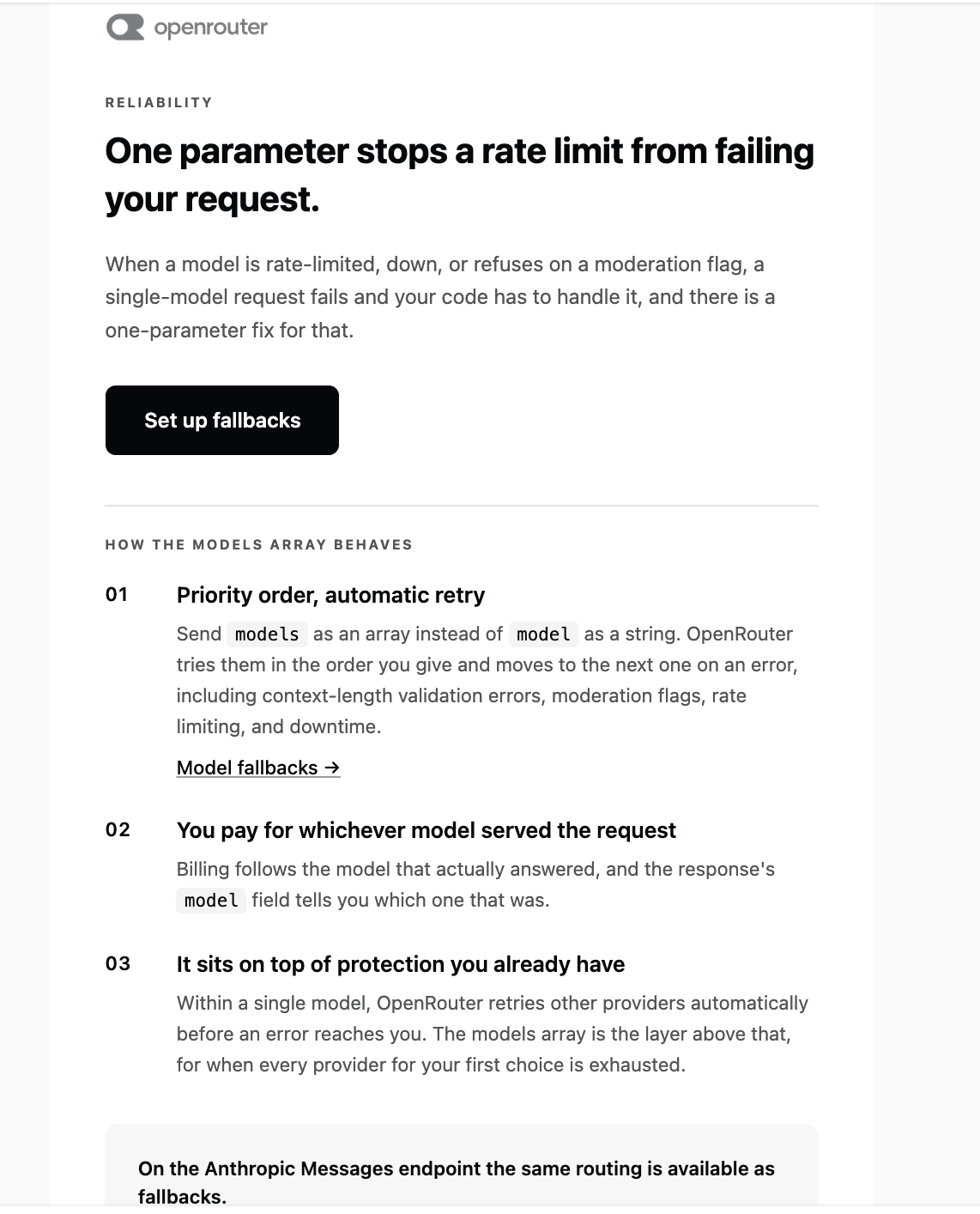
We should implement OpenRouter model fallbacks. I have received an email that is pointing to exactly the right mechanism.
The important distinction is:
model = primary model
models = ordered fallback models
OpenRouter tries the models in order when the current one errors
With the OpenAI Ruby SDK, OpenRouter’s models extension should be passed through extra_body. (OpenRouter)
Also, our previous openai/gpt-oss-20b:free error is precisely the kind of failure where a fallback chain is useful.
1. Don’t use openrouter/free
Let’s make the model selection explicit.
In Ai::Client:
PRIMARY_MODEL="openai/gpt-oss-20b:free"
FALLBACK_MODELS= [
"some-other-free-model:free",
"another-free-model:free"
].freeze
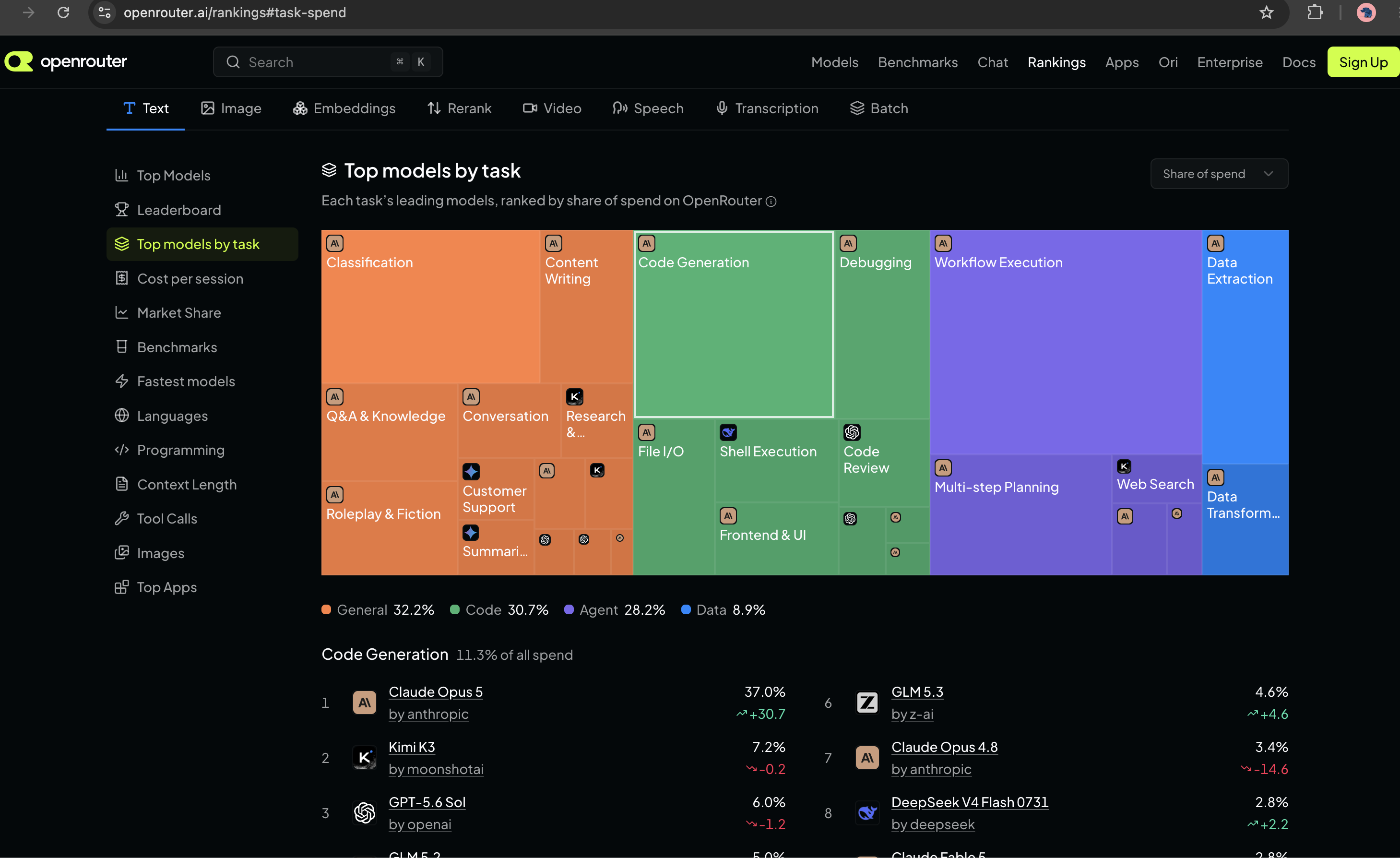
However, don’t blindly copy model names from an old tutorial, because OpenRouter’s free catalog changes. Its current model listing shows multiple free models and their availability/status. (OpenRouter)
For this reason, let’s first see what free models are currently available to your account/API.
This gives us the currently available zero-price model IDs instead of guessing.
Pick 2–3 general-purpose conversational models.
Avoid things whose purpose is:
moderation
safety classification
reranking
embedding
image generation
Our earlier User Safety: safe response is exactly why.
3. Model fallback implementation
I would not use openrouter/free as our primary model anymore and definitely not nvidia/nemotron-3.5-content-safety, which is why you previously got the safety-classification output.
For our AI Assistant app, let’s use three general-purpose free models and let OpenRouter handle model-level fallback. OpenRouter documents that the models array is tried in order and with the OpenAI SDK it belongs inside extra_body. (OpenRouter)
Our free fallback chain
From the models we actually have available, I’d use:
The reason I’m choosing these is that they’re general instruction/chat models rather than specialized safety, embedding, or multimodal models. We are optimizing for learning reliability, not benchmarking model quality.
I would not use:
nvidia/nemotron-3.5-content-safety:free
because that’s the wrong task.
I would also avoid for this particular chat application:
cohere/north-mini-code:free
because we’re building a general assistant rather than a coding-only assistant.
And we won’t use:
openrouter/free
Change Ai::Client
Let’s simplify the configuration.
class Ai::Client
MODELS = [
  "minimax/minimax-m3:free",
  "google/gemma-4-31b-it:free",
  "nvidia/nemotron-3-super-120b-a12b:free"
].freeze
BASE_URL = "https://openrouter.ai/api/v1"
def initialize
api_key = Rails.application.credentials.dig(
:openrouter,
:api_key
)
raise "OpenRouter API key is missing" if api_key.blank?
@client = OpenAI::Client.new(
api_key: api_key,
base_url: BASE_URL
)
end
def chat(messages:)
response = @client.chat.completions.create(
model: MODELS.first,
extra_body: {
models: MODELS.drop(1)
},
messages: messages
)
{
content: response.choices.first.message.content,
model: response.model,
input_tokens: response.usage&.prompt_tokens,
output_tokens: response.usage&.completion_tokens
}
rescue OpenAI::Errors::RateLimitError => e
raise Ai::RateLimitError, e.message
rescue OpenAI::Errors::APITimeoutError => e
raise Ai::TimeoutError, e.message
rescue OpenAI::Errors::APIConnectionError => e
raise Ai::ProviderError, e.message
rescue OpenAI::Errors::APIStatusError => e
raise Ai::ProviderError, e.message
end
end
OpenRouter then tries the models in order if the preceding model can’t serve the request. (OpenRouter)
Why model plus models?
This is worth understanding:
model:MODELS.first
is the primary model.
extra_body: {
models:MODELS.drop(1)
}
are the fallbacks.
So:
M3
↓ unavailable
Gemma
↓ unavailable
Nemotron
If the request succeeds using Gemma, response.model tells us which model actually served the request. OpenRouter documents that the response’s model identifies the model used for the successful run. (OpenRouter)
Test it now
Start:
bin/rails c
Then:
client=Ai::Client.new
And:
result=client.chat(
messages: [
{
role:"user",
content:"Why Node.js as a backend?"
}
]
)
=>
{content:
"# Why Node.js as a Backend?\n\nNode.js has become one of the most popular choices for backend development for several compelling reasons:\n\n## 1. **JavaScript Everywhere**\n- Use the same language (JavaScript) on both frontend and backend\n- Easier to share code between client and server\n- Single language for full-stack development reduces context switching\n\n## 2. **Non-Blocking, Event-Driven Architecture**\n- Built on Google's V8 JavaScript engine\n- Handles thousands of concurrent connections with a single thread\n- Ideal for:...skipping...
=>
> puts result[:model]
minimax/minimax-m3:free
=> nil
Then:
putsresult[:content]
putsresult[:model]
You should now get an actual conversational answer.
Run it several times if you want to observe which model is serving your requests.
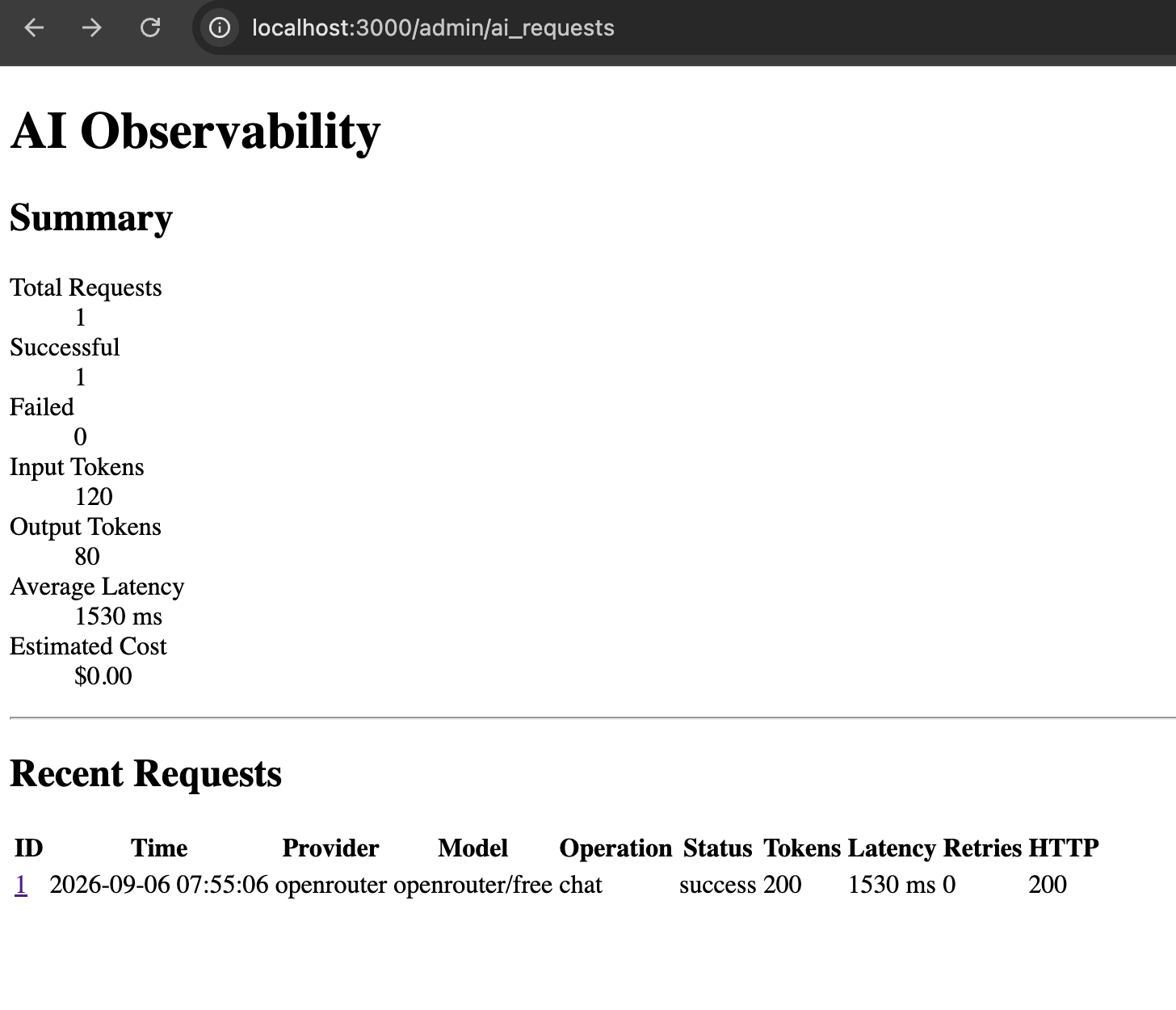
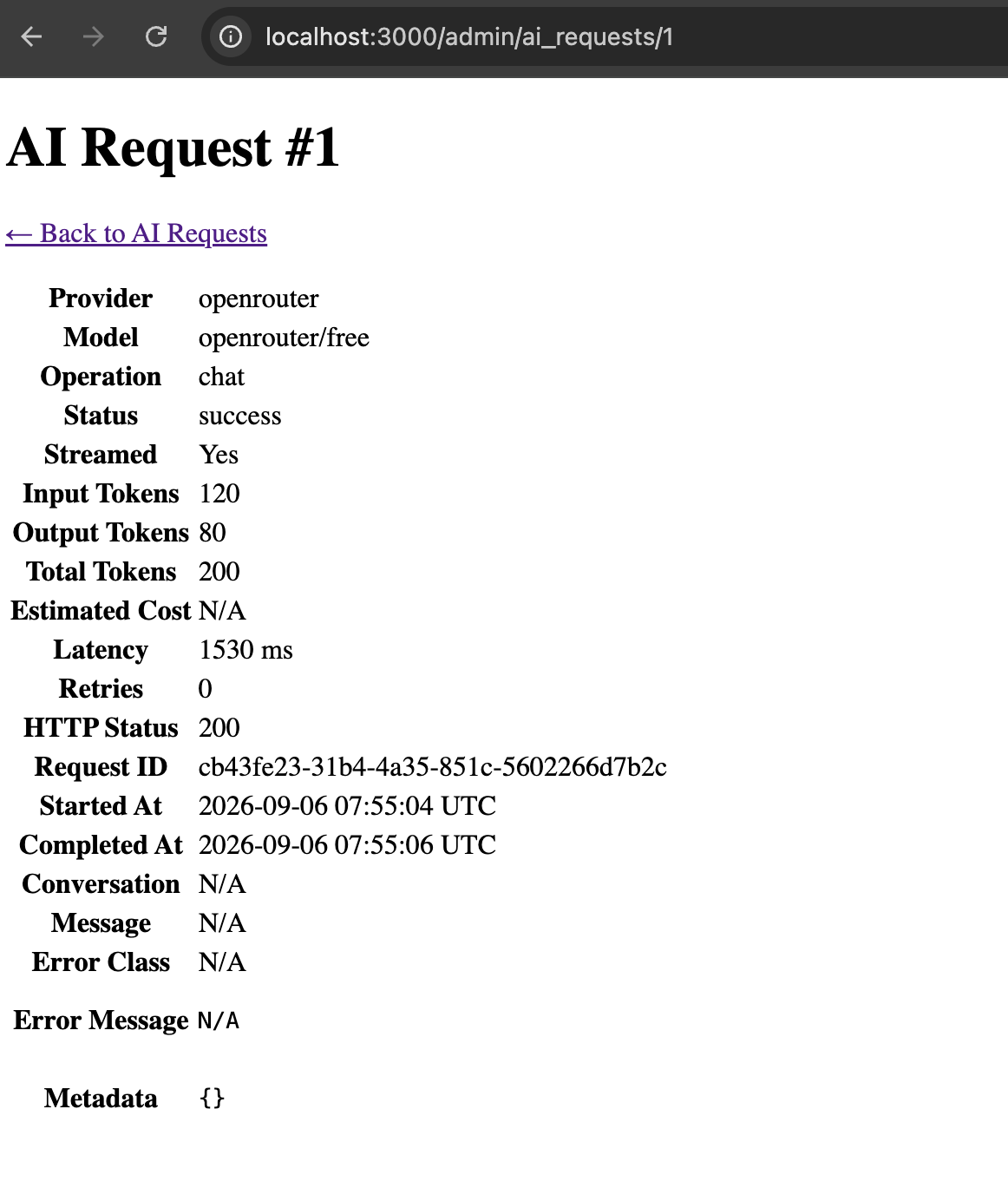
And this connects directly to our AiRequest
This is why we built the observability table earlier.
Imagine:
Requested:
minimax/m3
Actual:
google/gemma-4-31b-it
Our admin dashboard should eventually show:
Requested Model minimax/minimax-m3:free
Actual Model google/gemma-4-31b-it:free
Status success
That’s a genuinely useful production metric.
OpenRouter documents that, when using the OpenAI SDK, its models parameter is passed through extra_body. (OpenRouter)
OpenRouter says fallback can happen for provider downtime, rate limiting, moderation refusal and context-length errors, among other errors. (OpenRouter)
4. One thing we should NOT do
Don’t implement this:
begin
call_model_a
rescue
call_model_b
rescue
call_model_c
end
unless you have a very specific reason.
OpenRouter already provides model-level failover and doing the fallback manually would mean:
Your Rails app
      ↓
request A
      ↓
failure
      ↓
request B
while OpenRouter can perform this routing itself.
The provider also knows its own availability and provider-level routing state better than our Rails application does.
So:
Let OpenRouter handle model fallback; let Rails handle application-level error handling.
That’s a clean separation of responsibilities. (OpenRouter)
We have enough practical experience with SSE right now. We don’t need to perfect the transport layer, lets move on to improve our production error handling architecture.
Step 12 – Production Hardening of the AI Integration
class Ai::Error < StandardError
end

class Ai::ProviderError < Ai::Error
end

class Ai::RateLimitError < Ai::Error
end

class Ai::TimeoutError < Ai::Error
end
This gives our application its own error vocabulary instead of exposing SDK/provider exceptions everywhere.
The exact exception classes can depend on the SDK/version, so inspect the exception raised by your installed openai gem rather than blindly copying provider-specific classes.
“I distinguish transient failures from permanent failures. For transient failures, I use a bounded number of retries with exponential (delay: 1,2,4,8,16 seconds) backoff.”
Step 13: Add AI Observability with admin Dashboard
Instead of merely saying we support observability, let’s build an actual AI Admin / Observability dashboard into the app. This will make the project much stronger because you can demonstrate that we thought beyond “call the LLM.”
We will track:
AI Request
├── provider
├── model
├── operation
├── status
├── conversation
├── message
├── input tokens
├── output tokens
├── estimated cost
├── latency
├── started/completed timestamps
├── retry count
├── HTTP status
├── error class
├── error message
├── request ID
├── streamed?
└── metadata
And the admin UI will have:
/admin/ai_requests

AI Observability
-------------------------------------------------
Total Requests       127
Successful           119
Failed                 8
Total Input Tokens  45,230
Total Output Tokens 18,921
Avg Latency          2.34 sec
Estimated Cost       $0.00 / N/A
-------------------------------------------------

Recent AI Requests
-------------------------------------------------
Time | Model | Status | Tokens | Latency | Error
-------------------------------------------------
...
Then clicking a request gives the complete details.
Step 12A – Create AiRequest
We’ll call the model AiRequest.
This is not the AI message itself.
Remember:
Message
    ↓
What the user/assistant said

AiRequest
    ↓
What happened while talking to the LLM
namespace :admin do
  resources :ai_requests, only: %i[index show]
end
So your routes become something like:
Rails.application.routes.draw do
  resources :conversations, only: [:create, :show] do
    resources :messages, only: [:create]
  end

  namespace :admin do
    resources :ai_requests, only: %i[index show]
  end

  root "conversations#new"
end
Check:
bin/rails routes | grep ai_requests
You should get:
/admin/ai_requests
/admin/ai_requests/:id
Step 12I – Admin Controller
Open:
app/controllers/admin/ai_requests_controller.rb
Use:
class Admin::AiRequestsController < ApplicationController
  before_action :authenticate_admin!

  def index
    @ai_requests = AiRequest
      .includes(:conversation, :message)
      .recent
      .limit(100)

    @total_requests = AiRequest.count

    @successful_requests =
      AiRequest.successful.count

    @failed_requests =
      AiRequest.failed_requests.count

    @total_input_tokens =
      AiRequest.sum(:input_tokens)

    @total_output_tokens =
      AiRequest.sum(:output_tokens)

    @average_latency =
      AiRequest.where.not(latency_ms: nil).average(:latency_ms)

    @estimated_cost =
      AiRequest.sum(:estimated_cost)
  end

  def show
    @ai_request = AiRequest.includes(
      :conversation,
      :message
    ).find(params[:id])
  end

  private

  def authenticate_admin!
    authenticate_or_request_with_http_basic("AI Admin") do |username, password|
      username == Rails.application.credentials.dig(:admin, :username) &&
        password == Rails.application.credentials.dig(:admin, :password)
    end
  end
end
This means the admin dashboard isn’t publicly accessible.
here only to demonstrate recording unexpected failures.
In the final production version, we’ll distinguish:
timeout
rate limit
provider error
invalid response
unexpected application bug
and map them to the proper AiRequest.status.
That’s coming immediately after this.
Why this dashboard is worth having
You now have a tangible answer to questions like:
How would you monitor an AI application?
You can say:
“I record each AI invocation separately from the conversation message itself. I track provider, model, status, latency, token consumption, retries, HTTP status and error information, then expose that through an internal observability dashboard.”
Then show page:
/admin/ai_requests
That’s much stronger than saying:
“I would use logging.”
One thing I deliberately did NOT add
I don’t recommend storing the complete prompt by default in AiRequest.
Why?
Because prompts can contain:
PII
customer data
confidential company information
secrets
Instead we can later store safe metadata such as:
{
"message_count":8,
"prompt_tokens":1200,
"temperature":0.2
}
and keep sensitive content under the normal conversation access controls.
Issue 1:Fix AI Response: User Safety
Currently when I tested I get the AI Response like: User Safety: safeResponse Safety: safe
This is a model-selection problem, not a Rails problem.
The response:
User Safety: safeResponse Safety: safe
is characteristic of a content-safety/guardrail model, not a normal conversational model. OpenRouter currently lists Nemotron 3.5 Content Safety (free) as a moderation model whose intended output is exactly safety classifications such as User Safety and Response Safety. (OpenRouter)
Because we’re using:
MODEL="openrouter/free"
OpenRouter is free to route that request to an available free model. The free-model router is explicitly designed to select among available free models, so you shouldn’t use it when you need a stable application behavior. (OpenRouter)
Fix: choose an actual chat model
For our course, let’s use a specific free conversational model instead of:
MODEL="openrouter/free"
A good current option is:
MODEL="openai/gpt-oss-20b:free"
OpenRouter lists free models separately, including general-purpose models; the exact free catalog changes over time.
Change Ai::Client
Open:
app/services/ai/client.rb
Change:
MODEL="openrouter/free"
to:
MODEL="openai/gpt-oss-20b:free"
Then test:
bin/rails c
client=Ai::Client.new
result=client.chat(
messages: [
{
role:"user",
content:"Why Node.js as a backend?"
}
]
)
putsresult[:content]
We should now get an actual explanatory answer rather than the safety classification.
Why I want a specific model for our project
This is actually a valuable AI engineering lesson.
Current approach
Ai::Client
↓
openrouter/free
↓
??? model
The model can change depending on routing.
Better application architecture
Ai::Client
↓
specific model
↓
predictable behavior
For production systems, model choice should generally be deliberate rather than an accidental consequence of a router.
The openrouter/free router is useful for experimentation, but for our course we’ll use an explicit free model so our behavior stays understandable. OpenRouter itself recommends openrouter/free as a convenient way to sample available free models, which is precisely why it shouldn’t be treated as a fixed model identity.
One more thing: our RAG work needs an embedding model
Don’t use the chat model for embeddings.
We’ll have:
Chat:
openai/gpt-oss-20b:free
Embeddings:
separate embedding model
OpenRouter currently lists free embedding models as well, including NVIDIA’s Nemotron 3 Embed 1B, which is specifically intended for retrieval/RAG. (OpenRouter)
We’ll choose the embedding model separately when we implement Ai::EmbeddingService.
For now
Make this one-line change:
MODEL="openai/gpt-oss-20b:free"
After that, we’ll continue with Step 13 – generating embeddings and storing the first real vector in document_chunks.
Issue 2: OpenAI::Errors::NotFoundError
Our server Log:
OpenAI::Errors::NotFoundError ({url: "https://openrouter.ai/api/v1/chat/completions", status: 404, body: {error: {message: "This model is unavailable for free. The paid version is available now - use this slug instead: openai/gpt-oss-20b", code: 404}, user_id: ...
Since we’re using the openai Ruby SDK, our rescue layer should use OpenAI::Errors::*, not Faraday exceptions. The SDK maps HTTP status codes such as 400, 401, 403, 404, 409, 422, 429 and 500+ into its own typed exceptions, and it has separate APIConnectionError / APITimeoutError classes. (https://github.com/openai/openai-ruby/blob/main/lib/openai/errors.rb)
Also, our 404 message tells us something important:
OpenRouter’s current free catalog does include openai/gpt-oss-20b:free, but free endpoints can change availability. (OpenRouter)
Our earlier 404 specifically said that the endpoint was unavailable for free at that moment and suggested the paid slug. Since OpenRouter currently lists the :free variant as free, this looks like provider/availability inconsistency, not that our slug was fundamentally wrong. OpenRouter also notes that free variants are rate-limited and availability can vary. (OpenRouter)
1. Fix the model
Let’s use the explicit free model again:
MODEL="openai/gpt-oss-20b:free"
OpenRouter currently lists that exact slug as free with zero input/output pricing. (OpenRouter)
If that endpoint temporarily fails, we can switch to another currently listed free model rather than using openrouter/free.
2. Fix Ai::Client error handling
Also change our Ai::Client chat rescues from: Faraday::TooManyRequestsError
Faraday::TimeoutError
Faraday::Error
to: similar to: OpenAI::Errors::NotFoundError etc,

check: https://github.com/openai/openai-ruby/blob/main/lib/openai/errors.rb
Let’s use the actual SDK error hierarchy.
The important classes are:
OpenAI::Errors::BadRequestError
OpenAI::Errors::AuthenticationError
OpenAI::Errors::PermissionDeniedError
OpenAI::Errors::NotFoundError
OpenAI::Errors::ConflictError
OpenAI::Errors::UnprocessableEntityError
OpenAI::Errors::RateLimitError
OpenAI::Errors::InternalServerError
OpenAI::Errors::APIConnectionError
OpenAI::Errors::APITimeoutError
The current SDK maps HTTP 404 → NotFoundError, 429 → RateLimitError, and 500+ → InternalServerError. (GitHub)
So replace our old Faraday rescues entirely.
app/services/ai/client.rb
Use:
class Ai::Client
  MODEL = "openai/gpt-oss-20b:free"
  BASE_URL = "https://openrouter.ai/api/v1"

  def initialize
    api_key = Rails.application.credentials.dig(:openrouter, :api_key)

    raise "OpenRouter API key is missing" if api_key.blank?

    @client = OpenAI::Client.new(
      api_key: api_key,
      base_url: BASE_URL
    )
  end

  def chat(messages:)
    response = @client.chat.completions.create(
      model: MODEL,
      messages: messages
    )

    {
      content: response.choices.first.message.content,
      model: response.model,
      input_tokens: response.usage&.prompt_tokens,
      output_tokens: response.usage&.completion_tokens
    }
  rescue OpenAI::Errors::RateLimitError => e
    raise Ai::RateLimitError, e.message

  rescue OpenAI::Errors::APITimeoutError => e
    raise Ai::TimeoutError, e.message

  rescue OpenAI::Errors::APIConnectionError => e
    raise Ai::ProviderError, e.message

  rescue OpenAI::Errors::BadRequestError,
          OpenAI::Errors::AuthenticationError,
          OpenAI::Errors::PermissionDeniedError,
          OpenAI::Errors::NotFoundError,
          OpenAI::Errors::ConflictError,
          OpenAI::Errors::UnprocessableEntityError,
          OpenAI::Errors::InternalServerError,
          OpenAI::Errors::APIStatusError => e
    raise Ai::ProviderError, e.message
  end
end
The specific NotFoundError you just encountered will therefore be caught here: